Your thrift & vintage inventory
Your finds,
all in one place.
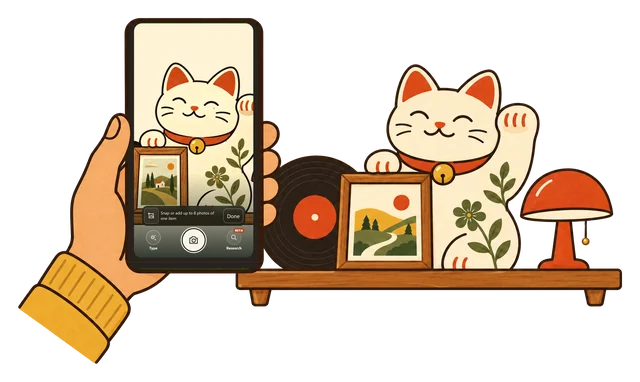
Thriftcraft is a personal inventory for thrifted and vintage finds. Keep photos, prices and notes together. Categorize your finds, then research them with a connected AI assistant.
Open beta · No card needed
Your finds
ExampleFound in a box of prints at the Sunday flea market. The frame has a few scuffs and the glass is intact. Check the back for an artist or printer before reframing.
Art for homeYour assistant, with your finds at hand
Ask about the finds
you’ve already saved.
Connect ChatGPT, Claude or Muse. Your assistant can use a find’s saved photos and details, so you don’t have to gather them again for each conversation.
Ask it to save the answer and its sources back to that find. The next time you need them, they’re together.
Connect your assistantAn assistant connection is required. Availability depends on your assistant’s plan and workspace.
Is my tulip chair an original Saarinen, or a reproduction?
Your saved notes mention an estate-sale find with no confirmed maker. The shape is a lead, but it isn’t enough to call it an original.
Knoll’s current Tulip chairs have a cast-aluminum base and a molded fiberglass shell. Look under the base for the KnollStudio mark and Saarinen signature, and add close-ups of any labels and the construction.
Reference: Knoll’s Tulip chair detailsVintage markings can differ. These are clues to compare, not an authentication from one photo.
Do I need an AI assistant to use Thriftcraft?
No. You can save photos, keep item details and organize your finds in Thriftcraft on its own. Connect an assistant when you want help researching what you’ve found.
Do I have to fill in everything at once?
No. Start with a photo and add details as you go. Prices, measurements, notes and categories can be added later.
How does the assistant connection work?
Connect ChatGPT, Claude or Muse to your Thriftcraft account. You choose read-only or read-and-save access. Your assistant can use saved photos and details, and with read-and-save access it can keep research with a find when you ask. See the connection steps.
Can I capture a find without a signal?
Yes. Once you’ve opened Thriftcraft on your phone, Scan can keep new photos on that device without reception. They upload when you’re back online with Thriftcraft open. Assistant research needs an internet connection.